


The Supplier Portal is a digital space designed to make working with El Corte Inglés easier. From here, you can consult orders, manage documentation and access the services and functionalities available to approved suppliers.
Our Model




Access in three steps
Which username should I use to access?
For queries related to UCAGECI and the management of access to our shopping centres, use the username whose identifier begins with "C". For all other processes and updates in the Portal, use the username that begins with "E2P".
Sign in
>Enter the username and password you have received to access the Portal. For security reasons, on your first access you will be asked to personalise your password.
Start managing
Once inside, you can start the qualification process. If you are already a qualified supplier, you will also have access to your orders, invoices, qualification documentation and the other services available in the Portal.
Access requirements
- You must have been invited as an El Corte Inglés supplier or have an active supplier code.
- You must have a verified contact email address associated with your company.
- Updated browser (the latest version of Edge, Chrome or Firefox is recommended).
- You must have accepted the portal terms of use on first access.
Forgotten your password?
Use the “Forgotten your password?” option on the access screen to recover it through your contact email. The password recovery process screens are shown below.
STEP 1: Select "I have forgotten my password" and enter your user code.
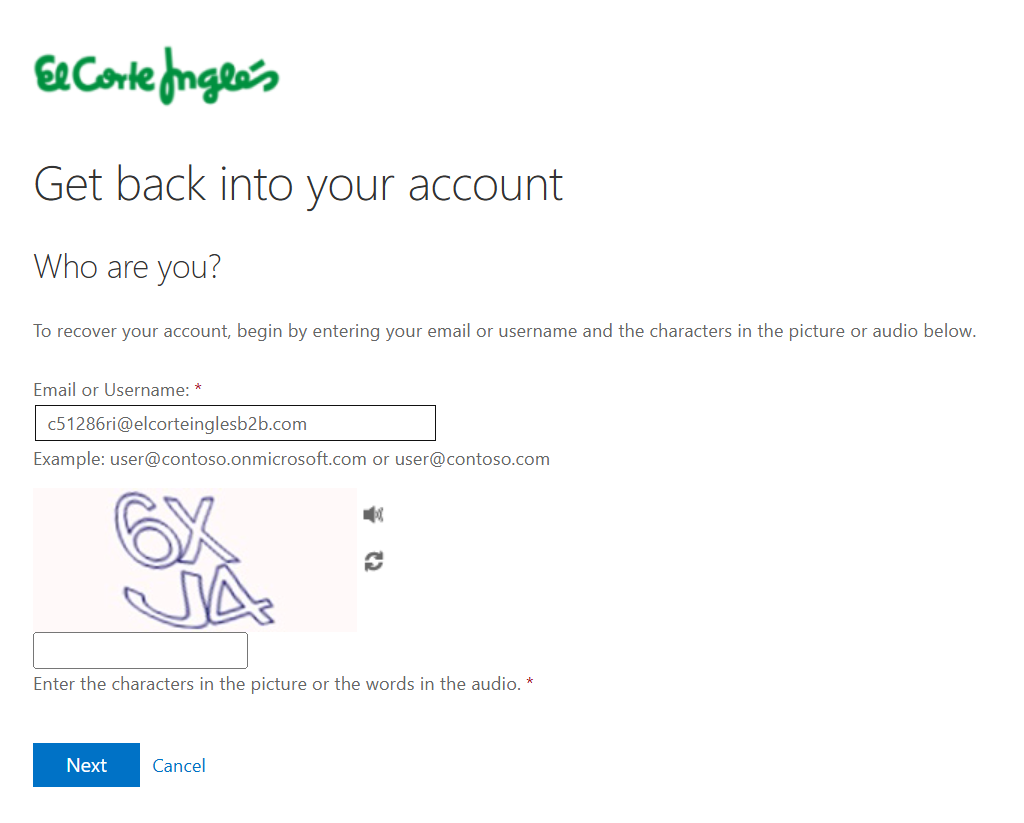
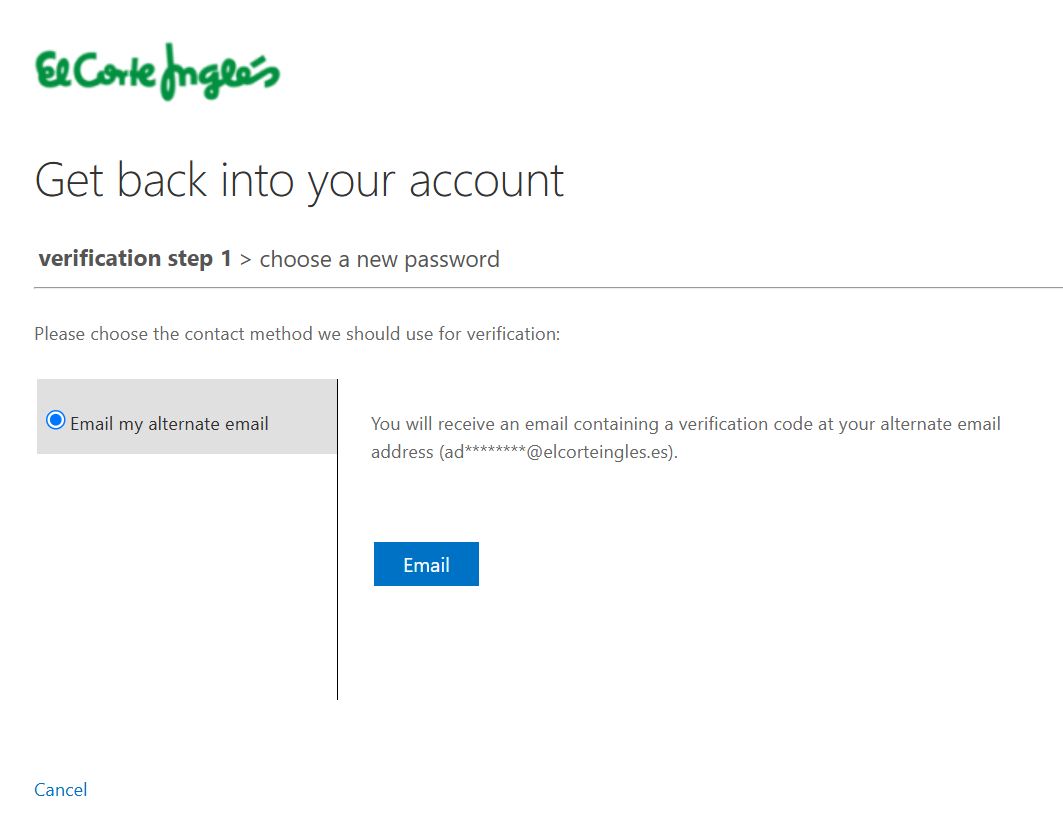
STEP 2: We will show you the email address to which the recovery code will be sent. If you do not recognise it, contact the B2B Portal administrator.
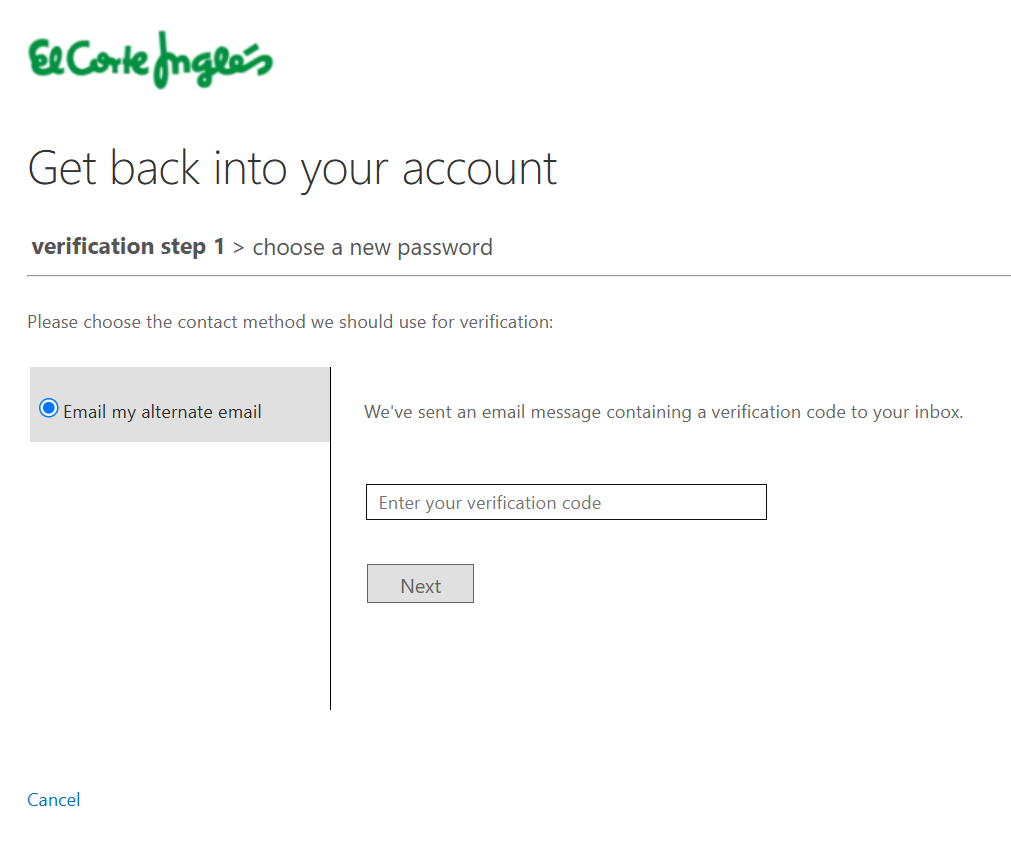
STEP 3: Enter the code received in the recovery email. Check your junk email folder if you do not receive the email in your inbox. Once the process is complete, the system will allow you to update your password.
Frequently asked questions
How do I get my access credentials?
Credentials are sent during the supplier registration process.
What should I do if my B2B Portal user is blocked?
If the user begins with E2P, contact the Portal administrator. If it begins with C, contact UCAGECI.
Can more than one person from my company access the portal?
Yes, several people can access it, although always with the same username and password.
What is UCAGECI?
It is the El Corte Inglés Human Resources area that manages third-party access to our facilities and platforms
Is there any cost to access the portal?
No. Access to the Supplier Portal is free of charge for El Corte Inglés suppliers.
Need more information?
For more information, please contact admonportalb2b@elcorteingles.es.